전체 보기
새롭게 설정하는 경우
git init
git add .
git commit -m "(커밋-내용)"
git remote add origin https://github.com/아이디/저장소.git
git branch -M main
git push -u origin main
이미 만들어진 깃허브에 푸시하는 경우
git add .
git commit -m "(커밋-내용)"
git push
0. Git 설정
01. Git 설치 & 로그인
아래의 사이트에서 깃을 설치한다.
Git - Install
Choose your operating system above.
git-scm.com
아래의 사이트에서 Github에 회원가입 또는 로그인한다.
GitHub · Change is constant. GitHub keeps you ahead.
Join the world's most widely adopted, AI-powered developer platform where millions of developers, businesses, and the largest open source community build software that advances humanity.
github.com
02. Git 프로젝트 파일 만들기
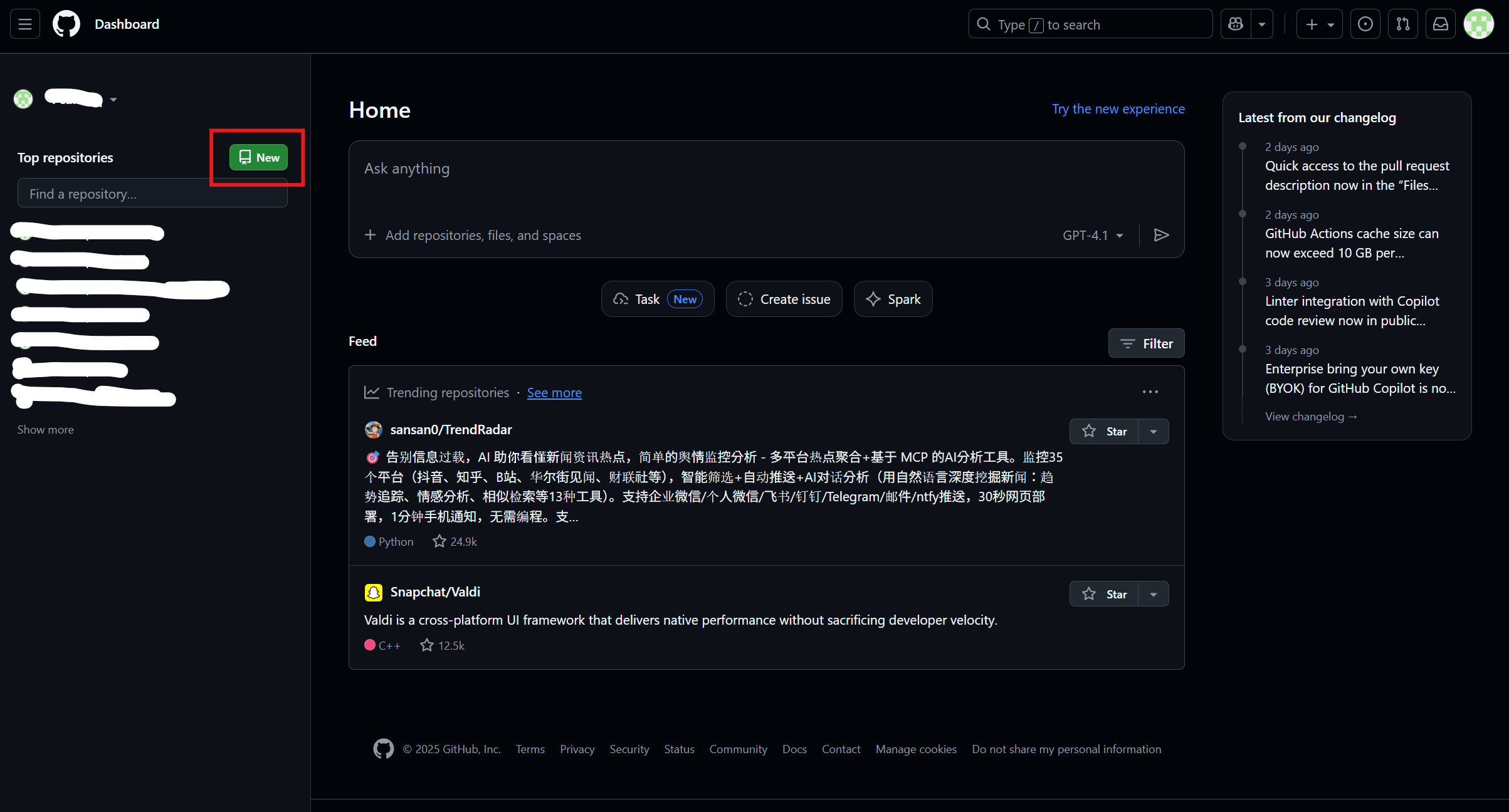
아래의 사진(Github의 Home)에서 'New'를 클릭하여 새로운 프로젝트를 만든다.
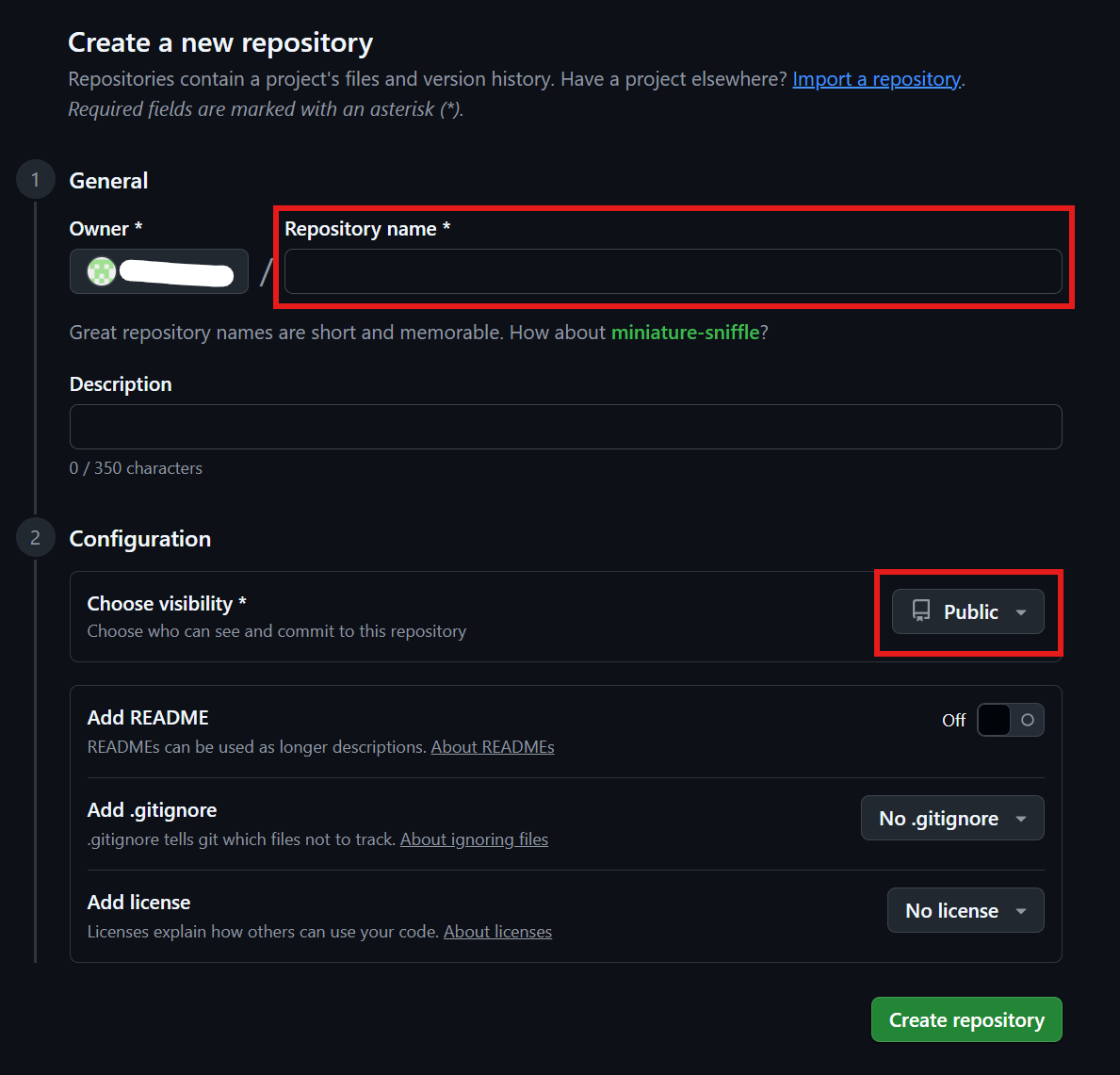
아래의 사진에 표시된 내용은 반드시 설정한다. 나머지는 선택 사항이다.
1. Git 설정
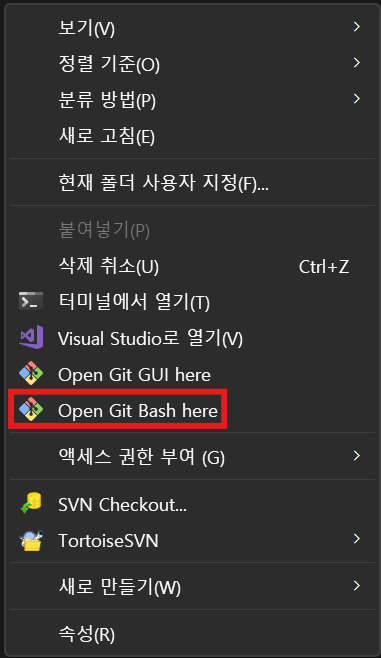
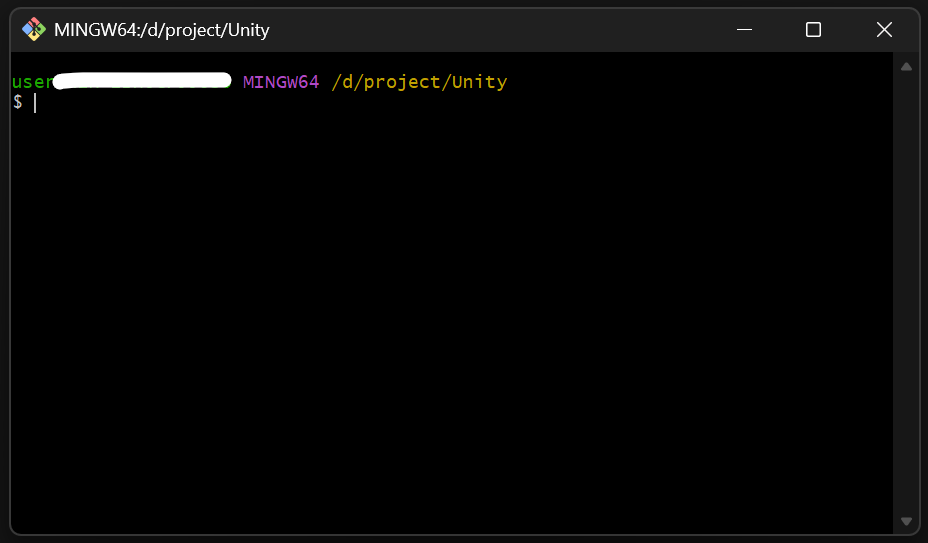
원하는 프로젝트 폴더에서 우클릭한 후 'Open Git Bash here'를 클릭한다.
01. .gitignore 파일 생성
Unity 프로젝트는 'Library/', 'Temp/', 'Logs/' 'Obj/', 'Build/', 'Builds/'와 같은 파일들을 올리게 된다면 아래와 같이 여러 경고 메시지가 뜨며 'error: unable to index file '(파일-이름)''라는 오류가 뜬다.

이 오류는 '.gitignore'라는 파일을 작성하여 git에 올릴 때 전부 무시해야 해결된다. 메모장을 열어 아래와 같이 작성한 후 작성한 파일을 프로젝트 파일에 .gitignore 이라는 이름으로 저장한다.
# ========== Unity 기본 무시 폴더 ==========
[Ll]ibrary/
[Tt]emp/
[Oo]bj/
[Bb]uild/
[Bb]uilds/
[Ll]ogs/
[Mm]emoryCaptures/
UserSettings/

# ========== Unity / IDE 파일 ==========
*.csproj
*.unityproj
*.sln
*.suo
*.tmp
*.user
*.userprefs
*.pidb
*.booproj
*.svd
*.pdb

# VS / Rider / 기타
.vs/
.idea/
*.csproj.user

# OS
.DS_Store
Thumbs.db
01) Git 초기화
git init
02) 커밋
git add .git commit -m "(커밋-내용)"
03) Github 로컬 연결
git remote add origin https://github.com/아이디/저장소.git
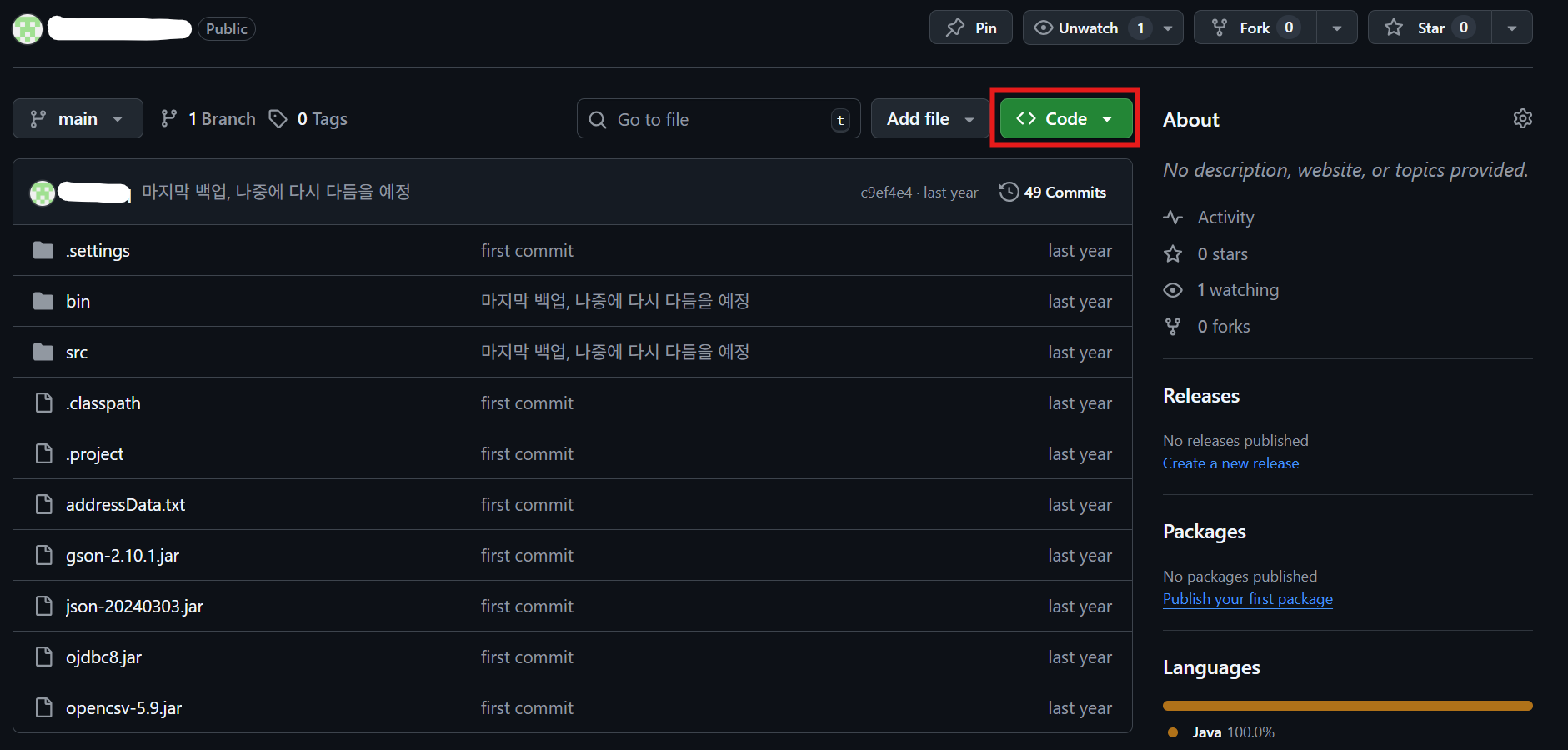
이떄의 깃 주소는 오른쪽 상단에 있는 'Code'를 눌러 나오는 주소를 드래그하거나 복사 버튼을 눌러 복사한다.

git branch -M maingit push -u origin main
'git push -u origin main'을 입력했을 때 아래와 같이 'error: failed to push som refs to '(프로젝트-사이트)'' 라는 오류가 날 수도 있다. 본인같은 경우 이미 푸시한 내용이 있어 오류가 났다.
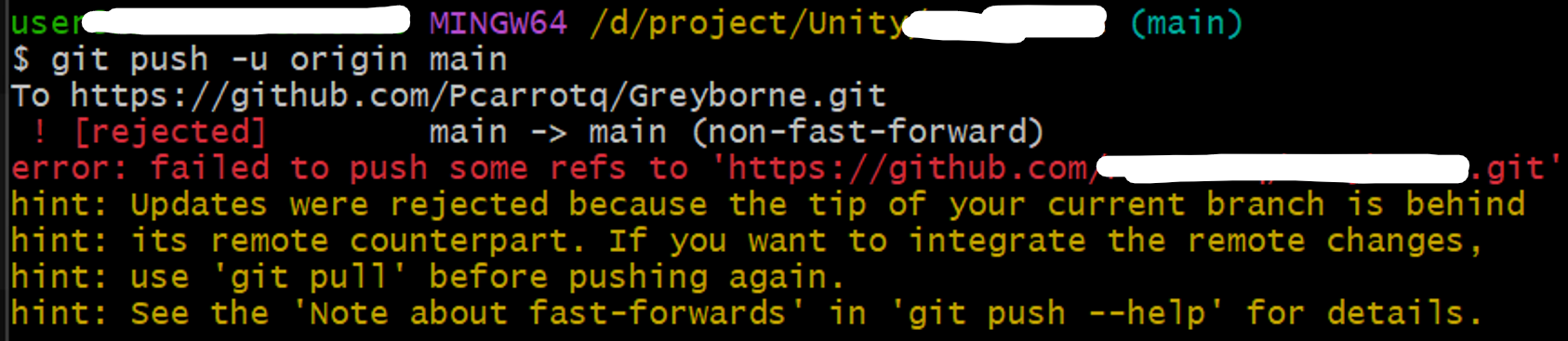
이 경우 아래와 같은 내용을 입력하면 해결된다. 저장소에 있는 기존 내용은 삭제되고 로콜 내용으로 교체된다.
git push -u origin main --force
이미 중요한 파일을 푸시한 경우 아래와 같은 내용을 입력하여 해결한다.
git pull origin main --rebasegit push -u origin main
3. 이후 작업
위의 작업이 끝난 후 새롭게 추가한 내용이 있다면 아래와 같이 작성하여 새로 작업한 작업물을 푸시한다.
git add .git commit -m "(커밋-내용)"git push